

How Will You Organize and Structure My Blog or Resource Section?
One of the most essential elements of a successful website, especially one focused on publishing content such as a blog or resource hub, is how well the information is organized and structured. A thoughtfully designed blog or resource section can engage readers, improve SEO, and boost user retention, while a poorly structured layout can frustrate visitors and reduce the impact of your content.
In this post, we’ll dive deep into the best practices for organizing and structuring your blog or resource section. Whether you are starting fresh or planning a redesign, these insights will guide you toward creating a seamless user experience and an effective content strategy.
Why Structure and Organization Matter
Before diving into how to organize your blog or resource section, it’s important to understand why it matters. Here are some critical benefits of a well-organized content area:
- Improved User Experience (UX): Visitors can find what they are looking for quickly without frustration.
- Better SEO: Search engines appreciate clear site architecture and can rank your content higher.
- Enhanced Content Discoverability: Related articles and resources help readers explore more on your site.
- Higher Engagement and Lower Bounce Rates: Well-structured content encourages users to stay longer.
- Clear Brand Positioning: Showcasing a curated set of resources or blog topics underscores your expertise.
Key Steps to Organize and Structure Your Blog or Resource Section
1. Define Your Content Categories and Topics
Start by mapping out the primary themes or categories your content will cover. Organizing blog posts or resources by broad categories helps visitors and search engines understand your site’s focus.
- Analyze your target audience’s interests and pain points
- Group existing blog posts or resources under thematic categories
- Aim for 4-7 main categories to avoid overwhelming visitors
- Subdivide categories into subcategories or tags for more granularity
For example, if you operate a digital marketing blog, main categories could include SEO, Content Marketing, Social Media, PPC, Email Marketing, and Analytics.
2. Design a Clear Navigation Structure
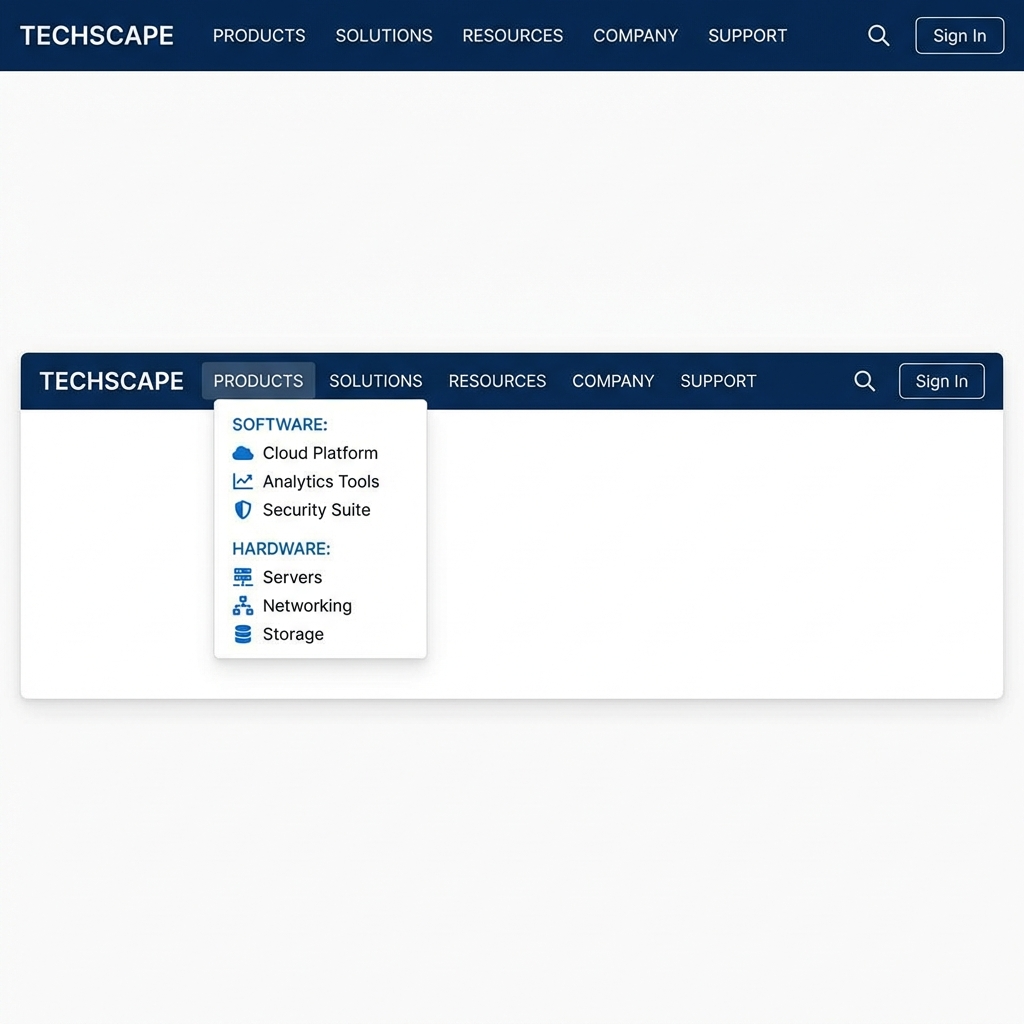
Navigation is the roadmap for your visitors. The organization of your blog or resource section should reflect in your website’s navigation so that users can browse easily.
- Main Menu: Display your main blog or resource categories as top-level navigation or under a “Resources” menu.
- Sidebar Widgets: Use category lists, popular posts, or resource filters to help visitors dive deeper.
- Breadcrumbs: Show users where they are within your category hierarchy.
- Search Functionality: Include a robust search bar for quick content access.
3. Develop a Robust Tagging and Filtering System
While categories create broad content buckets, tags help identify specific topics, formats, or themes that cut across multiple categories. Effective tagging allows for dynamic filtering of content such as tutorials, case studies, interviews, or beginner vs. advanced posts.
- Use descriptive tags related to your niche
- Ensure tags complement but do not duplicate categories
- Implement filter widgets on resource pages or blog archives to help users customize their view
- Include tag-based landing pages that aggregate relevant posts
4. Create Hub or Pillar Pages
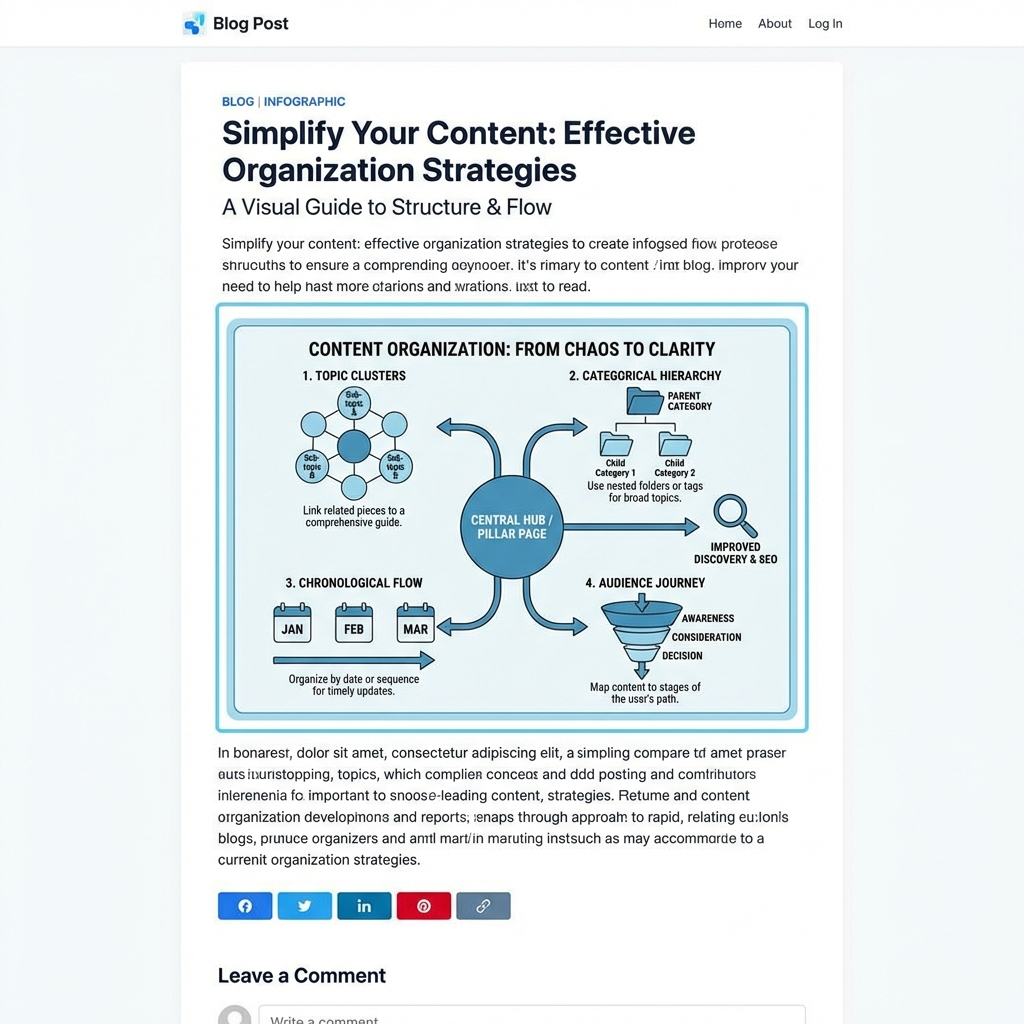
Pillar pages or content hubs are comprehensive resources centered on a core topic that link out to subtopics and related blog posts. They work well as entry points to your resource section and improve SEO by creating topical authority.
- Choose a broad topic relevant to your audience
- Develop detailed, long-form content covering key aspects of the topic
- Link internally to more granular posts or external authoritative sources
- Update regularly to keep information relevant
Design Considerations for Readability and Engagement
5. Use Clear Titles and Descriptions
Every blog post or resource should have a concise, descriptive title and an engaging summary or meta description. This helps visitors understand what the content offers and motivates clicks.
6. Implement Visual Hierarchy
Use headings (H2, H3, H4) effectively to break down content into digestible sections. Employ bullet points, numbered lists, and callouts to emphasize key points and improve scanning.
“Design is not just what it looks like and feels like. Design is how it works.” – Steve Jobs
7. Add Visual Content and Multimedia
Intersperse text with images, infographics, videos, or diagrams to add interest and aid comprehension. Visuals can highlight complex information and reinforce your message.
8. Implement Pagination and Load More Options
For blogs with lots of content, avoid overwhelming visitors with an endless single page. Use pagination or “Load More” buttons to keep the user interface clean and manageable.
Tips to Maintain and Improve Your Blog or Resource Section
- Regularly Audit Your Content: Remove or update outdated posts to ensure relevance.
- Monitor Analytics: Use metrics to understand which categories or resources perform best.
- Solicit Feedback: Ask users what kinds of content or organization they find helpful.
- Keep User Flow in Mind: Plan internal linking with logical next steps for readers to explore.
- Optimize for Mobile: Ensure your structure adapts well to mobile devices for a broad audience.
Conclusion
The organization and structure of your blog or resource section form the foundation for your visitors’ experience. Thoughtful categorization, intuitive navigation, clear visual hierarchy, and content hubs will create a seamless flow that keeps readers engaged and informed. Investing time into designing a solid structure will pay off in higher traffic, stronger SEO, and increased authority in your niche.
Remember, the goal is to make your content not only easy to find but also easy to explore and enjoy.
