

Can You Integrate My Website with Third-Party Scheduling Tools?
In today’s digital age, integrating scheduling tools directly into your website can greatly enhance user experience and streamline appointment management. Whether you run a consulting business, a healthcare practice, or any service that requires bookings, third-party scheduling tools can automate tedious processes, reduce no-shows, and improve client satisfaction.
But the question remains: Can you integrate your website with third-party scheduling tools? The simple answer is yes, and this article dives deep into why and how you can do that effectively.
What Are Third-Party Scheduling Tools?
Third-party scheduling tools are software applications developed by external vendors designed to handle appointment booking, calendar synchronization, reminders, and sometimes payment processing. Popular tools include Calendly, Acuity Scheduling, Square Appointments, Setmore, and many others. These platforms work as standalone systems but can be connected or embedded into your website to provide your clients with seamless booking experiences.
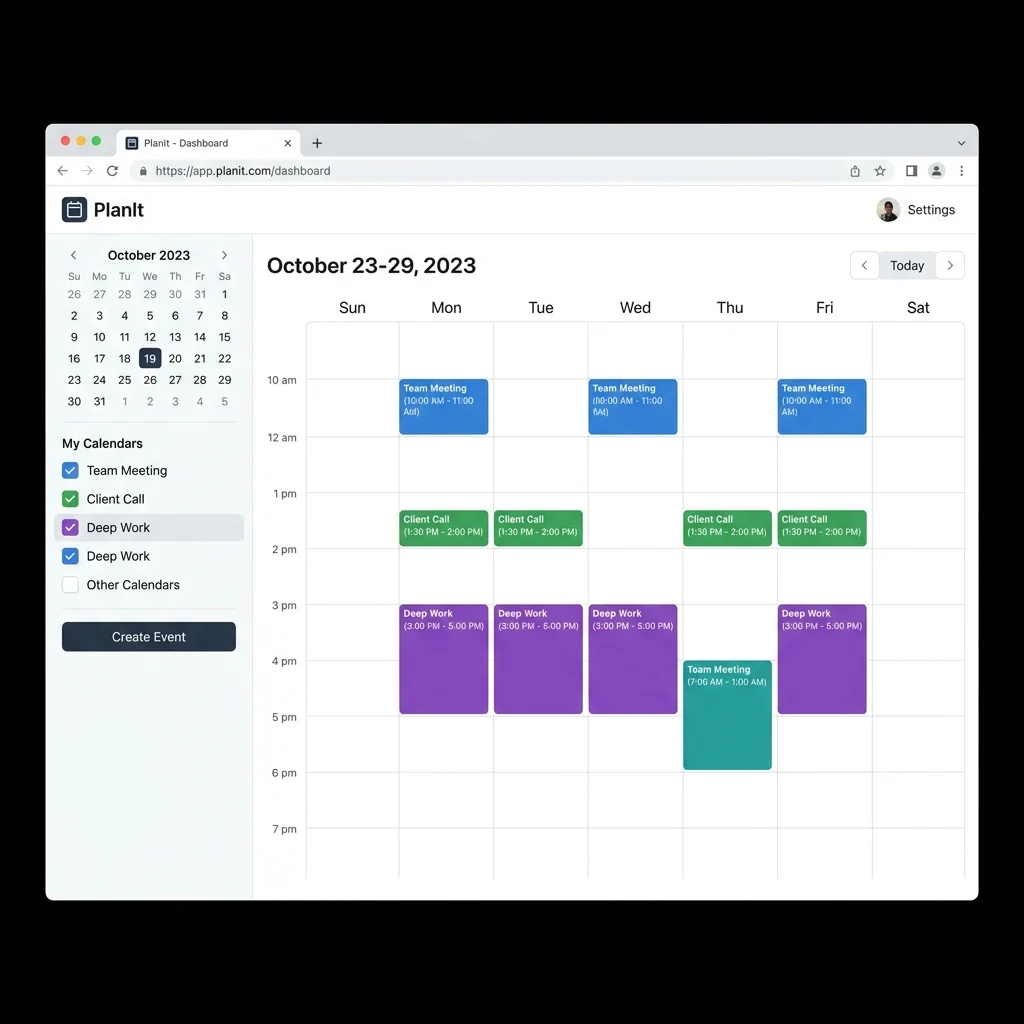
Benefits of Integrating Scheduling Tools on Your Website
- Improved User Experience: Visitors can book appointments directly without navigating away from your site.
- Automated Notifications: Reduce no-shows by sending automatic email or SMS reminders.
- Time Zone Management: Tools display booking times adjusted to the client’s local time.
- Payment Integration: Some tools take payments upfront, reducing cancellations.
- Sync with Existing Calendars: Schedule conflicts are avoided by syncing with Google Calendar, Outlook, or iCal.
- Analytics and Reporting: Track your booking history and client trends for business insights.
How Does Integration Work?
Third-party scheduling tools provide APIs or widget embeds that you can use to connect their service with your website. The complexity of integration depends on your website’s platform and your technical resources.
Common Integration Methods
1. Embedding an Iframe or Widget
The easiest way for most websites is to embed a scheduling interface directly on a webpage using provided HTML snippets. The tool hosts the booking form, and your clients interact with it within your site without leaving the page. This method requires minimal coding knowledge.
2. Using Plugins (For CMS like WordPress)
If your website is built on content management systems such as WordPress, there are dedicated plugins for popular scheduling tools. These plugins simplify integration and offer customization options without writing backend code.
3. API Integration for Custom Solutions
For businesses with custom-built websites or those requiring deep integration, the scheduling tool’s API enables developers to create tailored booking workflows, synchronize data, and integrate appointments data with CRM or ERP systems.

Step-by-Step Guide to Integrate a Scheduling Tool
- Choose a Scheduling Tool: Evaluate options based on features, pricing, and compatibility with your business model.
- Create an Account: Sign up and configure your availability, services, and business hours.
- Get the Embed Code or API Credentials: Most tools provide a snippet or API keys after setup.
- Embed or Develop the Integration: For embedding, paste the code into the appropriate webpage. For API usage, have your developer build the connection.
- Test the Booking Flow: Confirm that clients can book appointments, receive confirmations, and that calendar sync works properly.
- Promote the Booking Feature: Make your scheduling page easy to find via menus, buttons, or call-to-action banners.
Things to Consider Before Integrating Scheduling Tools
Data Privacy and Compliance
When you use third-party tools, client data is often stored on external servers. Make sure the vendor complies with regulations such as GDPR, HIPAA (if healthcare related), or CCPA depending on your customer location and industry.
Customization Options
You want the booking interface to reflect your brand. Check that the tool offers customization for colors, logos, and messaging to maintain consistency across your website.
Compatibility with Your Website Technology
- Static HTML sites can embed widgets easily.
- WordPress or Wix sites may benefit from dedicated plugins.
- Custom-built web applications might necessitate API integration.
Costs and Pricing Models
Most scheduling tools come with free tiers but limit the number of bookings or features. Compare pricing plans if you expect a high volume of appointments or need advanced functionality such as group bookings or payment processing.
Potential Challenges in Integration and How to Overcome Them
Technical Limitations
Sometimes your website’s platform or hosting provider may impose restrictions on embedding or API calls. Work with your developer or hosting support to troubleshoot these issues.
User Experience Issues
A poorly integrated scheduling tool can frustrate visitors if it’s slow to load or behaves inconsistently across devices. Always optimize for responsive design and page speed.
“Integrating scheduling tools is not just a technical task, but a strategic business move that can shape how your customers interact with your brand.” – Digital Solutions Expert
Maintaining Sync with Calendars and CRM
Ensure your integration maintains accurate data synchronization between your scheduling tool and other platforms to avoid double bookings or missing client information.
Popular Scheduling Tools to Consider
- Calendly: User-friendly, great for individual professionals.
- Acuity Scheduling: Highly customizable, offers payment integration.
- Square Appointments: Integrated with Square payment ecosystem.
- Setmore: Free tier with multiple staff scheduling.
- 10to8: Advanced reminders and reporting features.
Conclusion
Integrating third-party scheduling tools into your website is absolutely feasible and often highly beneficial. Depending on your website’s platform and your business needs, you can choose from simple embedded widgets to robust API integrations. Thoughtful implementation ensures your clients enjoy an effortless booking experience while enhancing your operational efficiencies.
Always evaluate the scheduling tool’s features, customization options, and compliance certifications prior to integration. With the right approach, automated scheduling can become a key asset in growing your business and improving overall client satisfaction.
