Can you set up Google Analytics or other tracking tools?

Can You Set Up Google Analytics or Other Tracking Tools?
In today’s digital landscape, tracking and analytics play a crucial role in helping businesses and website owners understand visitor behavior, measure performance, and optimize strategies. Google Analytics stands out as one of the most popular and powerful tools for tracking website data. But can you set it up yourself? What about other tracking tools? This comprehensive guide will walk you through everything you need to know about setting up Google Analytics and exploring alternatives to help you make data-driven decisions.
What is Google Analytics?
Google Analytics is a free web analytics service offered by Google that tracks and reports website traffic. It provides insights into how visitors interact with your site, including:
- Number of visitors
- User demographics and interests
- Traffic sources
- Behavior flow through the website
- Conversion tracking and goals
- E-commerce performance
This data helps businesses improve user experience, optimize marketing campaigns, and make informed decisions based on real user behavior.
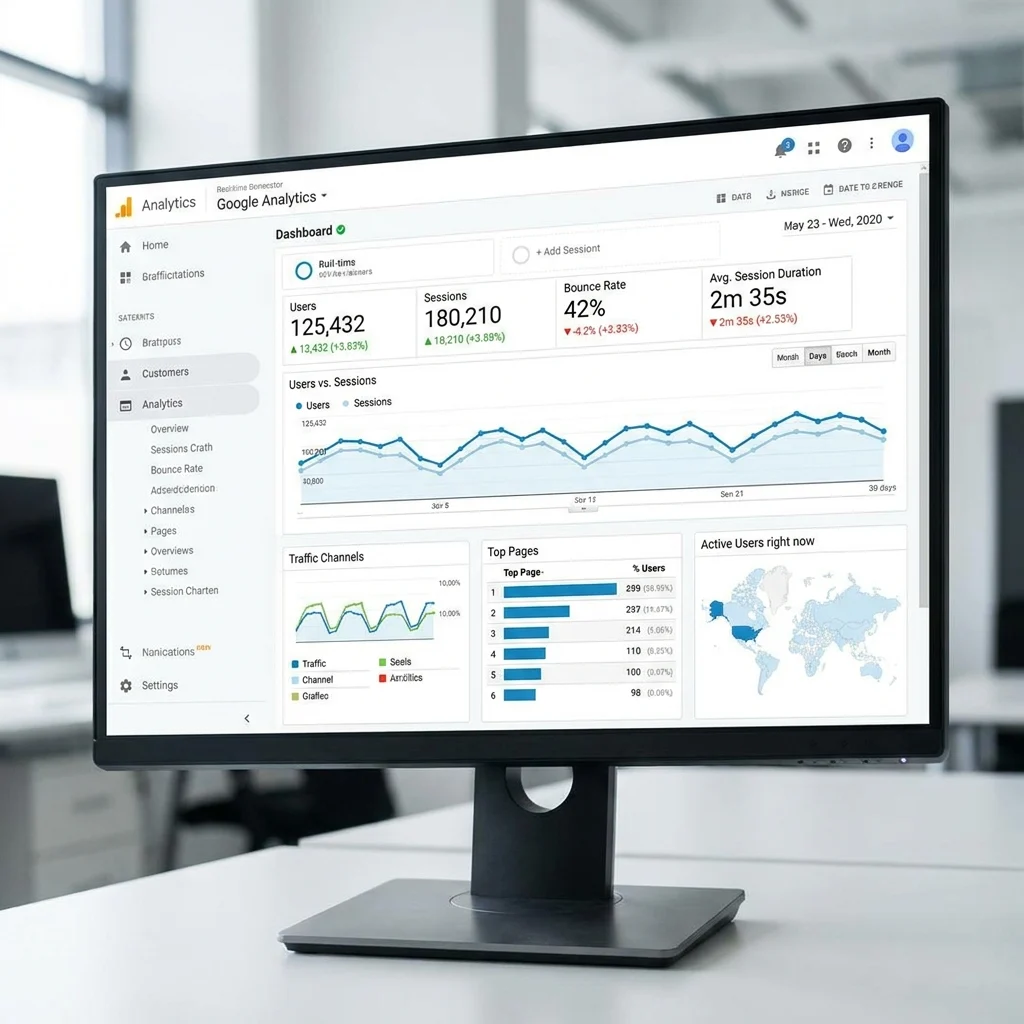
Basic Steps to Set Up Google Analytics
Setting up Google Analytics yourself is achievable, even if you’re not a developer, though some technical steps are involved. Here is an overview of the steps you need to follow:
1. Create or Log In to Your Google Account
Google Analytics requires a Google account. If you don’t have one, create it first. If you already use Gmail or any other Google service, you can use that account.
2. Sign Up for Google Analytics
Go to the Google Analytics website and sign up for the service. You will be prompted to create an account, set up a property (your website), and configure your data stream.
3. Add Your Website Details
You’ll need to enter the website name, URL, timezone, and industry category. These help Google Analytics categorize your data appropriately.
4. Get Tracking Code
After setup, Google Analytics provides you with a tracking code snippet — usually a piece of JavaScript. This code must be added to every page you want to track, typically placed in the <head> section of your website code.
5. Add Tracking Code to Your Website
Depending on your platform, this step varies:
- For WordPress: Use plugins like “Insert Headers and Footers” or built-in Google Analytics plugins to insert the tracking code easily.
- For Custom HTML Sites: Edit your site’s HTML files and paste the tracking code into the
<head>section. - For CMS Other than WordPress: Check if your CMS provides a dedicated area in the settings for analytics or an app/plugin to add the code.
6. Verify Tracking Implementation
Google Analytics offers a real-time report to check if your data is being captured correctly. You can also use Google Tag Assistant – a Chrome extension – to verify the installation and troubleshoot errors.
More Advanced Google Analytics Configurations
Once Google Analytics is set up, consider configuring goals and events to track specific user interactions such as form submissions, button clicks, or purchases.
- Goals: Define what conversions or objectives you want to measure on your website.
- Events: Track user interactions that don’t automatically trigger a page view, like downloads or video plays.
- Filters: Exclude unwanted data such as internal traffic to clean your reports.
Alternatives to Google Analytics
If Google Analytics is not suitable for your needs or if you want to explore other tracking options, here are some popular alternatives:
1. Matomo (formerly Piwik)
Matomo is an open-source web analytics platform that emphasizes data privacy and user ownership. It can be self-hosted, meaning your data is fully under your control.
2. Adobe Analytics
Best suited for larger enterprises, Adobe Analytics provides in-depth customer intelligence and integrates seamlessly with other Adobe Marketing Cloud products.
3. Clicky
A real-time web analytics service, Clicky offers a clean, easy-to-understand interface and many of the core features of Google Analytics.
4. Mixpanel
Focuses heavily on event-based tracking rather than page views and is primarily used for product and user engagement analytics.

Do You Need Technical Skills to Set Up Tracking Tools?
While non-technical users can follow step-by-step guides and use plugins or integrations, some basic understanding of website structure and code is beneficial. Larger or custom setups often require working with developers or marketing analysts to:
- Customize tracking for complex goals and events
- Integrate tracking with other tools such as Google Tag Manager
- Manage user permissions and data governance
“Data is the new oil, and the platforms that can capture and analyze it effectively will drive the next wave of innovation and growth.” – Marketing Expert
Using Google Tag Manager for Easier Analytics Management
Google Tag Manager (GTM) is another free tool that allows you to manage various tracking tags on your website without editing the code directly. You install GTM with a single container snippet, then manage Google Analytics and other marketing tags via an online interface.
Benefits of Using Google Tag Manager:
- Reduces dependency on developers after initial setup
- Allows easy testing and deployment of tracking codes
- Supports multiple types of tags like analytics, ads, remarketing, and more
Conclusion
Setting up Google Analytics or other tracking tools is not only possible but highly recommended for any website owner serious about understanding user behavior and improving site performance. Whether you choose Google Analytics or alternatives like Matomo or Mixpanel, the key is to ensure the tracking is implemented correctly from the start.
Many platforms make it easy to get started, and tools like Google Tag Manager further simplify managing complex tracking requirements. With accurate data collection, you can leverage insights that drive smarter marketing strategies, better user experiences, and increased conversions.
Remember, analytics is an ongoing process—regularly review and refine your tracking setup to align with changing business goals and user habits.